Watch · Explore · Read

Start with the task you want to complete.

Learn a specific task: make a thumbnail, refine a mask, import an Illustrator file, cut a video or animate a title. Browse recent lessons by tool, language and platform.

Last updated:

Choose a tool
Filter by topic, language, resource type or platform
Learning topic

21 videos · 0 illustrated guides · 11 reading sources

Watch a workflow

Video library

20 videos

Follow a CraftApps lesson, compare an Adobe file workflow or explore the separate ArtCraft AI studio. Use Resource type to choose step-by-step lessons.

Video cover: VectorCraft 0.21 vs Adobe Illustrator: Can It Open REAL AI Files?YouTube3:27

VectorCraft

VectorCraft 0.21 vs Adobe Illustrator: Can It Open REAL AI Files?

JohnCreates · · English

Watch a compatibility test using vector illustrations, text-heavy designs and logos with compound paths or clipping masks.

Reviews & comparisonsAdobe file migrationReviews & context
Context & version notes

Watch a compatibility test using vector illustrations, text-heavy designs and logos with compound paths or clipping masks.

Applies to: VectorCraft 0.21. This is an import comparison, rather than a drawing course.

Check appearance and editability separately when testing a copy of your own Illustrator file.

Watch here

Loading this video connects to YouTube, which processes playback and device information under its privacy policy.

Video cover: PhotoCraft 0.20.1 Update: Automate Photo Editing Like in Photoshop (Actions Tutorial)YouTube2:50

PhotoCraft

PhotoCraft 0.20.1 Update: Automate Photo Editing Like in Photoshop (Actions Tutorial)

JohnCreates · · English

Record an adjustment sequence, organize it in an Action Set, then replay it on several photographs.

Step-by-stepAutomation & actionsWorkflow demos
Context & version notes

Record an adjustment sequence, organize it in an Action Set, then replay it on several photographs.

Applies to: PhotoCraft 0.20.1. The same adjustments can produce different colors on different source images.

Start with a duplicate photo and compare each replay before applying an action to a larger set.

Watch here

Loading this video connects to YouTube, which processes playback and device information under its privacy policy.

Video cover: PhotoCraft 0.20 Update: Run Photoshop Actions Like in Photoshop (ATN Import)YouTube2:43

PhotoCraft

PhotoCraft 0.20 Update: Run Photoshop Actions Like in Photoshop (ATN Import)

JohnCreates · · English

Import a Photoshop ATN action, replay a sepia treatment and compare the output with Photoshop.

Step-by-stepAutomation & actionsAdobe file migration
Context & version notes

Import a Photoshop ATN action, replay a sepia treatment and compare the output with Photoshop.

Applies to: The title says 0.20; the description specifies PhotoCraft 0.20.1 and reports different color results.

One imported action is a useful test case; it does not establish support for every Photoshop action.

Watch here

Loading this video connects to YouTube, which processes playback and device information under its privacy policy.

Video cover: PhotoCraft 0.18: Refine Hair Like Photoshop (Select and Mask)YouTube8:22

PhotoCraft

PhotoCraft 0.18: Refine Hair Like Photoshop (Select and Mask)

JohnCreates · · English

Follow subject selection and hair-edge refinement, then work on imperfect masks and white halos.

Step-by-stepSelections & masksWorkflow demos
Context & version notes

Follow subject selection and hair-edge refinement, then work on imperfect masks and white halos.

Applies to: PhotoCraft 0.18; the creator tests three images and discusses refinement limitations.

Inspect fine hair against both light and dark backgrounds before exporting the cutout.

Watch here

Loading this video connects to YouTube, which processes playback and device information under its privacy policy.
Video cover: LightCraft for Beginners | Lesson 3: Importing PhotosYouTube3:22

LightCraft

LightCraft for Beginners | Lesson 3: Importing Photos

Open Designer Cloud · · English

Learn folder import, Add in place, Copy and Move, memory cards, watched folders and finding missing photographs.

Step-by-stepGetting startedPhoto import & RAW
Context & version notes

Learn folder import, Add in place, Copy and Move, memory cards, watched folders and finding missing photographs.

Applies to: LightCraft 0.16.0. The publisher explicitly says real Lightroom catalog import was not tested.

Practice on copied photos and understand whether an import option moves, copies or references the originals.

Watch here

Loading this video connects to YouTube, which processes playback and device information under its privacy policy.

Video cover: PhotoCraft v0.17.0 Tutorial: How to Make a YouTube ThumbnailYouTube6:02

PhotoCraft

PhotoCraft v0.17.0 Tutorial: How to Make a YouTube Thumbnail

JohnCreates · · English

Build a thumbnail from a blank document using a gradient, images, text, shapes, masks and layer effects.

Step-by-stepGetting startedWorkflow demos
Context & version notes

Build a thumbnail from a blank document using a gradient, images, text, shapes, masks and layer effects.

Applies to: PhotoCraft 0.17.0. A complete beginner project ending with an exported thumbnail.

Make one thumbnail, keep the layered project and check the exported image at its intended display size.

Watch here

Loading this video connects to YouTube, which processes playback and device information under its privacy policy.

Video cover: FilmCraft v0.14.0: Edit Your First Video in 7 MinutesYouTube6:10

FilmCraft

FilmCraft v0.14.0: Edit Your First Video in 7 Minutes

JohnCreates · · English

Import media, split and trim clips, close gaps, add text and a transition, adjust audio and export.

Step-by-stepGetting startedVideo editing
Context & version notes

Import media, split and trim clips, close gaps, add text and a transition, adjust audio and export.

Applies to: FilmCraft 0.14.0; the description uses Command + K for splitting clips.

Use a short copied clip and play the exported result to check cuts, sound and titles.

Watch here

Loading this video connects to YouTube, which processes playback and device information under its privacy policy.
Video cover: EffectCraft v0.16.0 Tutorial for Beginners (Create Your First Animation)YouTube28:53

EffectCraft

EffectCraft v0.16.0 Tutorial for Beginners (Create Your First Animation)

JohnCreates · · English

Animate a title with text, shapes and keyframes, then explore easing, the Graph Editor and motion blur.

Step-by-stepGetting startedMotion graphics
Context & version notes

Animate a title with text, shapes and keyframes, then explore easing, the Graph Editor and motion blur.

Applies to: EffectCraft 0.16.0. The lesson also explores 3D layers, cameras, lighting and expressions.

Finish a small title animation before extending the project into the more advanced sections.

Watch here

Loading this video connects to YouTube, which processes playback and device information under its privacy policy.

Video cover: ArtCraft VectorCraft 0.17: a atualização gigante, 12 novidades testadasYouTube8:41

VectorCraft

ArtCraft VectorCraft 0.17: a atualização gigante, 12 novidades testadas

Corel Snake · · Português

A Portuguese demonstration of artboard references, smart guides, pencil changes, Shape Builder and drawing inside objects.

Step-by-stepVector drawingWorkflow demos
Context & version notes

A Portuguese demonstration of artboard references, smart guides, pencil changes, Shape Builder and drawing inside objects.

Applies to: VectorCraft 0.17. The chapter list includes library elements and a password-protected PDF limitation.

Follow one tool demonstration at a time with a simple vector drawing.

Watch here

Loading this video connects to YouTube, which processes playback and device information under its privacy policy.

Video cover: Mudou tudo! O que há de novo no PhotoCraft?YouTube38:04

PhotoCraft

Mudou tudo! O que há de novo no PhotoCraft?

Acesso Designer · · Português

A Portuguese lesson covering interface setup, editing tools and a practical social artwork workflow.

Step-by-stepGetting startedWorkflow demos
Context & version notes

A Portuguese lesson covering interface setup, editing tools and a practical social artwork workflow.

Applies to: Published October 26; an exact app version is not established. The creation segment begins at 22:30.

Use the chapters to move from tool setup into the practical design segment.

Watch here

Loading this video connects to YouTube, which processes playback and device information under its privacy policy.

Video cover: GOODBYE AFTER EFFECTS? Effectcraft Full TutorialYouTube13:05

EffectCraft

GOODBYE AFTER EFFECTS? Effectcraft Full Tutorial

Nijat Ibrahimli · · English

A motion-design introduction to the EffectCraft interface and getting started with animation.

Step-by-stepGetting startedMotion graphics
Context & version notes

A motion-design introduction to the EffectCraft interface and getting started with animation.

Applies to: Published October 19. Exact app version not established.

Use this introduction before following a task-specific animation lesson.

Watch here

Loading this video connects to YouTube, which processes playback and device information under its privacy policy.

Video cover: Stop Paying Adobe: How to Install & Use GetArtCraft Suite (Full Guide)YouTube3:27

ArtCraft suite

Stop Paying Adobe: How to Install & Use GetArtCraft Suite (Full Guide)

GYAN BATO ·

A third-party overview of Launcher and standalone downloads, installation, and a first look at PhotoCraft and VectorCraft. The description lists Windows, macOS and Linux installation chapters.

Step-by-stepInstallationReviews & context
Context & version notes

A third-party overview of Launcher and standalone downloads, installation, and a first look at PhotoCraft and VectorCraft. The description lists Windows, macOS and Linux installation chapters.

Applies to: CraftApps installation and overview, published October 18, 2026. Exact app versions not verified.

Get an overview of the installation choices, then check current release notes and test your own files before switching tools.

Community installation guide

Watch here

Loading this video connects to YouTube, which processes playback and device information under its privacy policy.

Video cover: VectorCraft? Someone Vibe Coded a Free Adobe Illustrator Clone (First Look)YouTube

VectorCraft

VectorCraft? Someone Vibe Coded a Free Adobe Illustrator Clone (First Look)

Kru Mark Tutorials ·

Hands-on first look at v0.6 alpha: shapes, Pathfinder (Unite/Subtract/Intersect/Exclude), pencil, gradients, eraser, blob brush — and a detailed demo of the broken pen tool that prevents shape closure.

Reviews & comparisonsWorkflow demosReviews & context
Context & version notes

Hands-on first look at v0.6 alpha: shapes, Pathfinder (Unite/Subtract/Intersect/Exclude), pencil, gradients, eraser, blob brush — and a detailed demo of the broken pen tool that prevents shape closure.

Watch before you try VectorCraft — shows exactly which tools work and which (pen) will frustrate you.

Watch here

Loading this video connects to YouTube, which processes playback and device information under its privacy policy.

Video cover: PhotoCraft for Beginners: Let's Test Its Workflow!YouTube

PhotoCraft

PhotoCraft for Beginners: Let's Test Its Workflow!

Abhishek Rai ·

A complete beginner walkthrough: workspaces, new document (RGB vs CMYK), layers, brush & gradient tools, image transform, text, blend modes, and a hands-on poster project.

Reviews & comparisonsGetting startedWorkflow demos
Context & version notes

A complete beginner walkthrough: workspaces, new document (RGB vs CMYK), layers, brush & gradient tools, image transform, text, blend modes, and a hands-on poster project.

Best starting point if you've never opened PhotoCraft — covers the full interface in one session.

Watch here

Loading this video connects to YouTube, which processes playback and device information under its privacy policy.
Video cover: FilmCraft: Free Premiere Pro Alternative? | Install + Import Premiere ProjectYouTube

FilmCraft

FilmCraft: Free Premiere Pro Alternative? | Install + Import Premiere Project

GEEKrar ·

Step-by-step Windows install, plus the practical Premiere migration path: export Final Cut Pro XML from Premiere, then import into FilmCraft. Sequences, cuts and edits transfer; some effects may not.

Reviews & comparisonsInstallationWorkflow demos
Context & version notes

Step-by-step Windows install, plus the practical Premiere migration path: export Final Cut Pro XML from Premiere, then import into FilmCraft. Sequences, cuts and edits transfer; some effects may not.

A tutorial to consult when testing Premiere-to-FilmCraft XML interchange; check the installed version and compare the resulting sequence.

Watch here

Loading this video connects to YouTube, which processes playback and device information under its privacy policy.

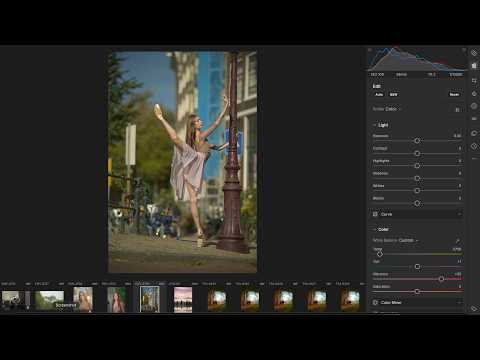
Video cover: open source 'LightCraft', the Lightroom cloneYouTube

LightCraft

open source 'LightCraft', the Lightroom clone

Sharkcookie Photography ·

A working photographer runs the same RAW files through Lightroom, RapidRAW and LightCraft. Documents hotkeys that don't fire, a reversed tint slider, a 2,000K–50,000K temperature range that makes 5,000–7,000K unusable, harsh highlight clipping, and broken subject masks.

Reviews & comparisonsWorkflow demosReviews & context
Context & version notes

A working photographer runs the same RAW files through Lightroom, RapidRAW and LightCraft. Documents hotkeys that don't fire, a reversed tint slider, a 2,000K–50,000K temperature range that makes 5,000–7,000K unusable, harsh highlight clipping, and broken subject masks.

Sobering reality check from a daily Lightroom pro — read the description before you trust LightCraft with client RAW files.

Watch here

Loading this video connects to YouTube, which processes playback and device information under its privacy policy.

Video cover: ArtCraft: 7 Free Open-Source Adobe Clones Built by AI Agents in a WeekYouTube

ArtCraft suite

ArtCraft: 7 Free Open-Source Adobe Clones Built by AI Agents in a Week

Heroic steps ·

A launch-era overview of the original seven apps. The family now contains thirteen; version counts and parity estimates in this video should be treated as a historical snapshot, not current measurements.

Reviews & comparisonsReviews & context
Context & version notes

A launch-era overview of the original seven apps. The family now contains thirteen; version counts and parity estimates in this video should be treated as a historical snapshot, not current measurements.

Watch this before cancelling your Adobe subscription — it quotes the project's own parity estimates, not just the hype.

Watch here

Loading this video connects to YouTube, which processes playback and device information under its privacy policy.
Video cover: Artcraft Tutorial: 2D Images into 3D ObjectsOfficial2:47

ArtCraft AI studio

Artcraft Tutorial: 2D Images into 3D Objects

ArtCraft AI ·

Follow the ArtCraft AI studio workflow from the 2D canvas into the 3D editor, using images as scene elements.

Step-by-step2D & 3DWorkflow demos
Context & version notes

Follow the ArtCraft AI studio workflow from the 2D canvas into the 3D editor, using images as scene elements.

Applies to: ArtCraft AI studio’s 2D-to-3D workflow, recorded in 2025. Exact app version not verified.

Continue from canvas basics into composing a scene in the studio’s 3D editor.

Official ArtCraft tutorial

Watch here

Loading this video connects to YouTube, which processes playback and device information under its privacy policy.

Video cover: Artcraft Tutorial: 2D Editor BasicsOfficial2:22

ArtCraft AI studio

Artcraft Tutorial: 2D Editor Basics

ArtCraft AI ·

Learn basic 2D editor controls and put together a simple scene in the ArtCraft AI studio.

Step-by-stepGetting started2D & 3D
Context & version notes

Learn basic 2D editor controls and put together a simple scene in the ArtCraft AI studio.

Applies to: ArtCraft AI studio’s 2D editor, recorded in 2025. Exact app version not verified.

A short official introduction to the studio canvas before moving on to a 3D scene.

Official ArtCraft tutorial

Watch here

Loading this video connects to YouTube, which processes playback and device information under its privacy policy.

Video cover: How to Download ArtCraft CraftApps on Windows (FREE) – Step by StepYouTube1:22

ArtCraft suite

How to Download ArtCraft CraftApps on Windows (FREE) – Step by Step

Benja Review

A short third-party guide to downloading and installing the CraftApps on Windows.

Step-by-stepInstallationGetting started
Context & version notes

A short third-party guide to downloading and installing the CraftApps on Windows.

Applies to: Windows CraftApps installation. Exact app versions not verified; compare the steps with current official packages.

Use as installation orientation alongside the official app and operating-system download selector.

Community installation guide

Watch here

Loading this video connects to YouTube, which processes playback and device information under its privacy policy.

Watch on the original platform

Bilibili videos

BilibiliReviews & comparisons

PhotoCraft

带你使用一下开源版的PS【adobe被开源了?】 ↗

搞设计的周老师 · · 中文

A Chinese-language first look linking ArtCraft’s app directory and discussing a Photoshop-style editing workflow.

Context & version notes

A Chinese-language first look linking ArtCraft’s app directory and discussing a Photoshop-style editing workflow.

Applies to: Launch-era overview; the description also links the separate Photon Studio product. Exact CraftApps versions not established.

Keep PhotoCraft and Photon Studio separate when following the demonstration.

Read & compare

Reading & discussions

11 sources

Read a companion discussion, troubleshoot a project or follow a written installation and automation guide.

Blog / pressStep-by-step

ArtCraft suite

How to Update ArtCraft Apps on Your NAS ↗

Marius Bogdan Lixandru · · English

An illustrated update procedure for readers who already followed the author’s NAS installation guides.

Context & version notes

An illustrated update procedure for readers who already followed the author’s NAS installation guides.

Applies to: Applies to that self-hosted setup; it is not the normal desktop Launcher update process.

Check the guide’s prerequisites and your existing NAS deployment before following its update steps.

RedditDiscussion & troubleshooting

PhotoCraft

Photocraft is nuts ↗

r/ArtCraftAI contributor · · English

A Linux user shares a recreated thumbnail and reports shape editing, soft-brush performance and panel issues.

Context & version notes

A Linux user shares a recreated thumbnail and reports shape editing, soft-brush performance and panel issues.

Applies to: A community project report, not a step-by-step lesson or controlled performance test.

Compare these reported rough edges with your installed build after trying the thumbnail lesson.

RedditDiscussion & troubleshooting

VectorCraft

VectorCraft 0.17: quase 300 mudanças! Quais realmente valem a pena? ↗

r/designBR contributor · · Português

The creator shares the linked 0.17 tool demonstration and asks vector artists how it fits their workflow.

Context & version notes

The creator shares the linked 0.17 tool demonstration and asks vector artists how it fits their workflow.

Applies to: Companion discussion to the Corel Snake video, rather than independent confirmation of its results.

Use the thread for questions and context after following the video demonstrations.

Video creator’s discussion thread

RedditDiscussion & troubleshooting

FigCraft

The ArtCraft team have now made an open source Figma ↗

r/vibecoding ·

A public announcement introduces FigCraft and discusses interface design, shared sessions and open-source collaboration infrastructure. The official directory now lists FigCraft as early alpha.

Context & version notes

A public announcement introduces FigCraft and discusses interface design, shared sessions and open-source collaboration infrastructure. The official directory now lists FigCraft as early alpha.

Use the official FigCraft page and release notes to check what is available; roadmap promises are not independent proof of Figma parity.

RedditDiscussion & troubleshooting

PhotoCraft

PhotoCraft — Additional Features ↗

r/ArtCraftAI ·

A user asks about importing PDF floor plans. Replies point to PDF-import pull requests, illustrating why the exact file and installed version matter more than a broad Photoshop comparison.

Context & version notes

A user asks about importing PDF floor plans. Replies point to PDF-import pull requests, illustrating why the exact file and installed version matter more than a broad Photoshop comparison.

A requested feature or linked pull request does not prove a fix is included in your release. Test a copied PDF in the build you intend to use.

Hacker NewsDiscussion & troubleshooting

ArtCraft suite

ArtCraft Apps – open-source Adobe compatible suite written in Rust ↗

Hacker News ·

Heated technical thread. Early testers report 'very broken' builds (lag, dead hotkeys, panels that won't restore); later testers on fresher releases call it 'basically fine' and 'surprisingly good for AI.' Deep subthread on whether Photoshop's feel can ever be spec-coded.

Context & version notes

Heated technical thread. Early testers report 'very broken' builds (lag, dead hotkeys, panels that won't restore); later testers on fresher releases call it 'basically fine' and 'surprisingly good for AI.' Deep subthread on whether Photoshop's feel can ever be spec-coded.

Read this if you want the skeptical professional take — includes a working designer's 7-point bug list and the creator's replies.

RedditDiscussion & troubleshooting

ArtCraft suite

100% Open Source Clean Room Implementations of 7 of Adobe's Top Apps ↗

u/ai_art_is_art ·

Launch thread from the ArtCraft creator. Claims >50% parity (some apps 80%+), full parity within a month. Key Q&A: VectorCraft opens .ai files, Lightroom Classic clone is on the roadmap, enterprise features (SOC2, admin) under consideration. Creator cites 4+ years on ArtCraft and $5M revenue.

Context & version notes

Launch thread from the ArtCraft creator. Claims >50% parity (some apps 80%+), full parity within a month. Key Q&A: VectorCraft opens .ai files, Lightroom Classic clone is on the roadmap, enterprise features (SOC2, admin) under consideration. Creator cites 4+ years on ArtCraft and $5M revenue.

First-party answers to the most-asked questions, including RAW-processing criticism and the author's response on per-camera color profiles.

r/vibecoding · project author

Blog / pressReviews & comparisons

ArtCraft suite

Someone Rebuilt Free, Open-Source Versions of Photoshop, Premiere, and Lightroom Using AI ↗

PetaPixel ·

Trade-press write-up covering the launch, creator Brandon Thomas's background (ex-CEO of Storyteller.ai, ex-Square engineer), and the motivation: Adobe's cancellation-fee practices. Notes the Opus 5.5 build process and clean-room legal posture.

Context & version notes

Trade-press write-up covering the launch, creator Brandon Thomas's background (ex-CEO of Storyteller.ai, ex-Square engineer), and the motivation: Adobe's cancellation-fee practices. Notes the Opus 5.5 build process and clean-room legal posture.

Best neutral overview for context — includes direct quotes from the creator and Adobe-trademark framing.

photography trade press

GitHubStep-by-step

ArtCraft suite

ArtCraft installation and Claude Code / Codex workflow guide ↗

az9713 · English

A community guide mapping the CraftApps to creative tasks, with installation instructions, agent workflows and example outputs.

Context & version notes

A community guide mapping the CraftApps to creative tasks, with installation instructions, agent workflows and example outputs.

Applies to: An evolving repository; no publication date is assigned. Check its current instructions against your app build.

Begin with one small sample project before automating work across several apps.

Official siteReference

PhotoCraft

PhotoCraft — official product page ↗

ArtCraft

Official feature list, installer downloads (macOS/Windows/Linux/Web), build-from-source instructions, and the project's own parity claims (134 of 135 PSD round-trip, 16 adjustment layers, 70+ filters).

Context & version notes

Official feature list, installer downloads (macOS/Windows/Linux/Web), build-from-source instructions, and the project's own parity claims (134 of 135 PSD round-trip, 16 adjustment layers, 70+ filters).

Authoritative source for what PhotoCraft is supposed to do.

Official siteReference

FilmCraft

FilmCraft — official product page ↗

ArtCraft

Official feature list, platform downloads, source-build instructions and release links for FilmCraft. Use the current repository documentation for supported codecs and known delivery limitations.

Context & version notes

Official feature list, platform downloads, source-build instructions and release links for FilmCraft. Use the current repository documentation for supported codecs and known delivery limitations.

Reference for what the project claims FilmCraft can decode and edit.

Try it yourself

Five practical first sessions.

Each path begins with copied files and ends with a result you can inspect outside the app.

SRC

Sources

Sources used for the facts and attributed reports on this page.

  1. 01
    Photocraft — ArtCraft official page

    official page · Accessed 2026-11-15

  2. 02
    Vectorcraft — ArtCraft official page

    official page · Accessed 2026-11-15

  3. 03
    Filmcraft — ArtCraft official page

    official page · Accessed 2026-11-15

  4. 04
    Lightcraft — ArtCraft official page

    official page · Accessed 2026-11-15